

Creating a professional presentation can take hours. You need to research the topic, organize your ideas, write slide content, choose a design, find images, format everything, and then make sure the final presentation looks professional.
For students, this can be especially frustrating when a presentation is due tomorrow. For businesses, creating presentations can become a regular part of meetings, sales pitches, reports, training, and marketing.
Fortunately, AI presentation makers have changed the process in 2026.
Instead of starting with a blank PowerPoint or Google Slides file, you can describe what you want and let AI help create the structure, content, design, and visuals. Some tools can also turn documents or existing files into presentations.
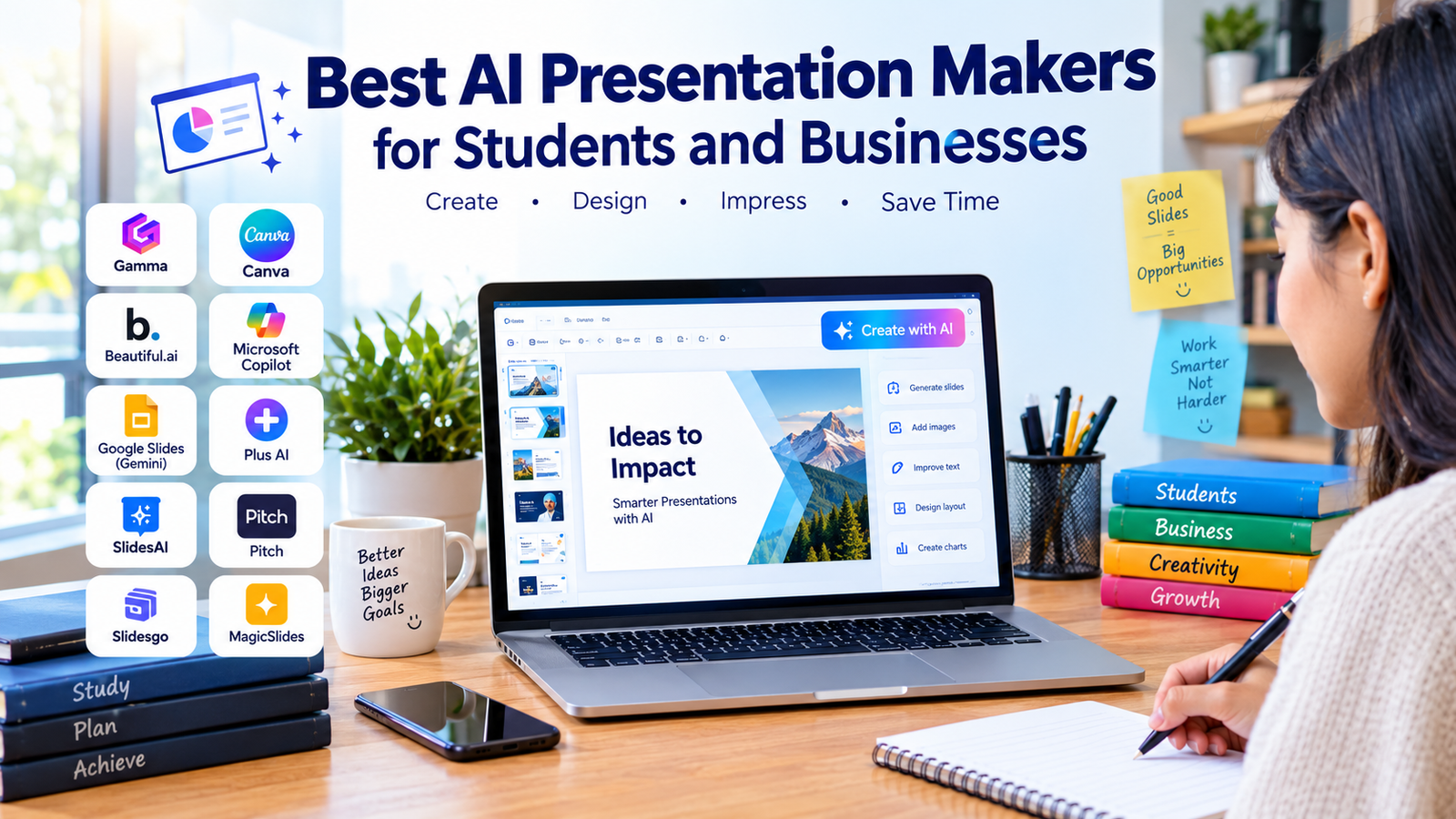
In this guide, we’ll look at the best AI presentation makers for students and businesses in 2026, their main features, who they are best for, and how to choose the right tool.
What Is an AI Presentation Maker?
An AI presentation maker is a tool that uses artificial intelligence to help create presentation slides.
Depending on the platform, you may be able to provide:
- A simple topic
- A detailed prompt
- A document
- A PDF
- An existing presentation
- Notes or an outline
- Information from your workspace
The AI can then help generate slide structures, text, layouts, images, charts, and other presentation elements.
For example, instead of spending an hour creating a presentation about climate change, a student could enter:
“Create a 10-slide presentation about the causes and effects of climate change for university students.”
The AI can produce a starting deck that the student can then review and customize.
Modern tools such as Gamma can generate presentations from prompts, pasted text, or imported files, while allowing users to edit and export the finished result.
Why Use AI Presentation Makers in 2026?
The biggest advantage of AI presentation software is speed.
Traditional presentation creation involves several separate steps:
- Research the topic.
- Create an outline.
- Write slide content.
- Choose a design.
- Find images.
- Format the slides.
- Review the presentation.
- Make final changes.
AI can help with many of these steps.
Save Time
AI can create a first draft much faster than starting from a blank presentation.
Improve Design
Many AI presentation makers automatically apply layouts, typography, spacing, and visual elements.
Overcome Writer’s Block
If you know your topic but don’t know how to structure your presentation, AI can generate an outline.
Create Professional Presentations
Students without advanced design skills can produce cleaner presentations, while businesses can create consistent decks more quickly.
Repurpose Existing Content
Some tools can transform documents, PDFs, notes, or existing presentations into new slide decks.
Best AI Presentation Makers for Students and Businesses
1. Gamma — Best Overall AI Presentation Maker
Best for: Students, entrepreneurs, marketers, and business professionals.
Gamma is one of the strongest all-around AI presentation makers in 2026.
The platform is designed to turn prompts, text, documents, and ideas into structured presentations. Gamma says users can start from a prompt or upload a document, select a theme, and generate a working presentation that can then be edited and exported.
One of Gamma’s advantages is that it doesn’t require users to manually design every slide.
Its AI can help with:
- Presentation structure
- Slide content
- Layouts
- Images
- Themes
- Rewriting
- Presentation styling
It can also export presentations to formats such as PowerPoint and PDF, while allowing presentations to be shared online.
Why Students Should Use Gamma
Students can use Gamma for:
- Class presentations
- Research projects
- Thesis presentations
- Group projects
- Study summaries
- Academic topics
Why Businesses Should Use Gamma
Businesses can use it for:
- Pitch decks
- Sales presentations
- Marketing proposals
- Training materials
- Product launches
- Business reports
Verdict: Gamma is one of the best choices if you want to go from an idea to a polished first draft quickly.
2. Canva AI — Best for Visual Presentations
Best for: Students, marketers, creators, and small businesses.
Canva is already popular for graphic design, but its AI presentation capabilities make it a strong option for people who care about visual quality and customization.
Canva’s Magic Design for Presentations can generate presentation drafts from a simple description, including an outline and content, while its editor allows users to customize the design afterward.
The major advantage of Canva is its large design ecosystem.
You can create:
- Presentations
- Social media graphics
- Posters
- Infographics
- Marketing materials
- Videos
- Documents
This makes Canva particularly useful for businesses that want their presentations to match their wider marketing materials.
Best Canva Features
- AI presentation generation
- Templates
- Drag-and-drop editing
- Stock photos and graphics
- Brand assets
- Collaboration
- AI-generated content and media
Verdict: Choose Canva if design flexibility and visual creativity are more important than simply generating a presentation as quickly as possible.
3. Beautiful.ai — Best for Professional Business Presentations
Best for: Businesses, consultants, sales teams, and professionals.
Beautiful.ai focuses heavily on presentation design and consistency.
Instead of giving users complete freedom to place every element anywhere, its smart-slide approach helps maintain clean layouts as content changes.
The platform’s AI presentation workflow lets users start with a prompt, paste existing content, or provide supporting documents and links.
This can be particularly useful for businesses that regularly create:
- Sales decks
- Investor presentations
- Company reports
- Marketing presentations
- Training decks
- Strategy presentations
Why Businesses Like It
A professional business presentation needs more than good text.
It needs:
- Consistent branding
- Clear visual hierarchy
- Professional layouts
- Easy editing
- Repeatable design
Beautiful.ai is designed around these requirements.
Verdict: One of the strongest choices for companies that want professional and consistent presentations without manually adjusting every layout.
4. Microsoft PowerPoint with Copilot — Best for Microsoft 365 Users
Best for: Businesses, schools, universities, and professionals already using Microsoft 365.
If your organization already uses PowerPoint, Microsoft Copilot can be one of the most convenient AI presentation solutions because the AI is integrated directly into PowerPoint.
Microsoft says Copilot can create presentations from prompts or files, generate slides, rewrite content, summarize presentations, and help users refine decks.
You can also create a presentation from a Word document, allowing existing written material to become the starting point for a slide deck.
Business Benefits
Companies can use Copilot for:
- Sales presentations
- Business reports
- Company meetings
- Training
- Project updates
- Executive presentations
Student Benefits
Students can use PowerPoint Copilot for:
- Research presentations
- School projects
- Academic reports
- University presentations
One important advantage is that the output remains inside the PowerPoint workflow, which can make it easier for organizations already standardized on Microsoft Office.
Verdict: The best option for people who already live inside Microsoft PowerPoint and Microsoft 365.
5. Gemini in Google Slides — Best for Google Workspace Users
Best for: Students, schools, startups, and businesses using Google Workspace.
Google has expanded Gemini’s presentation capabilities inside Google Slides.
In 2026, Gemini in Google Slides can help generate fully editable presentations from prompts and reference files. Google says users can provide documents, spreadsheets, PDFs, or previous decks as sources when creating presentations.
Gemini can also help generate individual slides, create images, summarize presentations, and rewrite content.
Why Students May Like It
Students who already use Google Docs and Google Drive can benefit from keeping their work inside the Google ecosystem.
For example:
Google Doc → Gemini → Google Slides presentation
This can make it easier to transform research notes into presentation material.
Why Businesses May Like It
Businesses can use Gemini for:
- Team presentations
- Project updates
- Marketing reports
- Business proposals
- Internal meetings
Verdict: An excellent choice if your school or company already relies heavily on Google Workspace.
6. Plus AI — Best for PowerPoint and Google Slides
Best for: Professionals who want AI inside their existing presentation software.
Plus AI takes a different approach from tools such as Gamma.
Instead of requiring you to move to a completely separate presentation platform, Plus works directly inside Google Slides and PowerPoint.
It can start presentations from prompts and files such as:
- Word documents
- PowerPoint files
- Text files
It can also help rewrite and reformat slides and add images, icons, and charts.
This makes Plus AI useful for users who want AI assistance without abandoning their normal presentation workflow.
Verdict: A strong option for people who want AI capabilities directly inside Google Slides or PowerPoint.
7. SlidesAI — Best for Students Using Google Slides
Best for: Students, teachers, researchers, and Google Slides users.
SlidesAI focuses on converting written content into presentation slides.
This can be particularly useful for students who already have research notes or written assignments but need to turn them into a presentation.
Instead of creating every slide manually, students can use AI to help transform their content into a structured deck.
Common Student Uses
- Lecture presentations
- Research projects
- Class assignments
- Study materials
- University presentations
- Educational summaries
The main advantage is convenience: students can begin with content they already have instead of starting with a blank slide.
Verdict: A useful choice for students who primarily work in Google Slides and want AI-assisted slide creation.
8. Pitch — Best for Collaborative Business Presentations
Best for: Startups, sales teams, marketing teams, and business collaborations.
Pitch is designed around collaborative presentation creation.
For businesses, the presentation isn’t always created by one person. A marketing employee may write the content, a designer may work on visuals, and a manager may review the final deck.
A collaborative presentation platform can make that process easier.
Pitch is particularly suitable for:
- Startup pitch decks
- Sales presentations
- Team presentations
- Business proposals
- Marketing presentations
Its focus on collaboration makes it a useful option for teams rather than individuals working alone.
Verdict: A strong choice for teams that need to create, review, and collaborate on presentations together.
9. Slidesgo AI — Best for Templates and Education
Best for: Students, teachers, educators, and people who want ready-made presentation designs.
Slidesgo is known for its large collection of presentation templates, and its AI presentation tools can help users create presentations more efficiently.
For students, templates can be useful because they provide a starting point for academic presentations without requiring advanced design skills.
Useful For
- School projects
- University assignments
- Educational presentations
- Classroom lessons
- Training materials
The combination of templates and AI can make presentation creation easier for beginners.
Verdict: A useful option for students and educators who want templates combined with AI assistance.
10. MagicSlides — Best for Turning Existing Content Into Slides
Best for: Students, teachers, professionals, and people who already have written material.
MagicSlides is designed around generating presentations from existing content and prompts.
This type of tool can be particularly useful when the hardest part isn’t writing the information—it is converting that information into an organized slide deck.
For example, you might already have a long article or document about a business topic.
Instead of manually dividing it into slides, AI can help create a presentation structure.
Potential Uses
- Articles to presentations
- Documents to presentations
- Educational material
- Business reports
- Training decks
- Research presentations
Verdict: A useful option when you already have written material and need to transform it into slides.
AI Presentation Makers Comparison
| Tool | Best For | Main Strength |
|---|---|---|
| Gamma | Overall use | Fast AI-generated decks |
| Canva AI | Design | Visual creativity and templates |
| Beautiful.ai | Business | Consistent professional layouts |
| PowerPoint + Copilot | Microsoft users | Native PowerPoint workflow |
| Gemini in Slides | Google users | Google Workspace integration |
| Plus AI | PowerPoint & Slides | AI inside existing tools |
| SlidesAI | Students | Text-to-presentation workflow |
| Pitch | Teams | Collaboration |
| Slidesgo AI | Education | Templates and AI |
| MagicSlides | Existing content | Converts content into slides |
Best AI Presentation Maker for Students
Students don’t necessarily need the most powerful business presentation software.
The most important features are usually:
- Easy to use
- Affordable or free option
- Fast generation
- Good templates
- Easy editing
- Google Slides or PowerPoint compatibility
- Ability to turn research into slides
Our Top Picks for Students
1. Gamma — Best overall
2. Canva AI — Best for creative presentations
3. Gemini in Google Slides — Best for Google users
4. SlidesAI — Best for converting text into slides
5. Slidesgo AI — Best for educational templates
For a student who already has research written in Google Docs, Gemini or SlidesAI can be especially convenient.
Best AI Presentation Maker for Businesses
Businesses have different priorities.
A company may need:
- Brand consistency
- Collaboration
- PowerPoint compatibility
- Professional design
- Data visualization
- Sales presentations
- Investor decks
- Internal reports
- Easy editing
Our Top Business Picks
1. PowerPoint + Copilot — Best for Microsoft organizations
2. Gamma — Best for fast deck creation
3. Beautiful.ai — Best for design consistency
4. Canva AI — Best for marketing teams
5. Pitch — Best for collaboration
The best option ultimately depends on where your company’s presentations already live.
How to Choose the Right AI Presentation Maker
Before choosing a tool, ask five questions.
1. Where Do You Want the Final Presentation?
If you need a PowerPoint file, choose a tool with strong PowerPoint export or use PowerPoint Copilot directly.
If your organization uses Google Slides, Gemini or Plus AI may be more convenient.
2. Do You Need Strong Design?
If visual design is your priority, Canva and Beautiful.ai are strong choices.
3. Do You Need Speed?
If you want to create a first draft quickly, Gamma is one of the strongest options.
4. Are You Working With Existing Documents?
If you already have Word files, PDFs, research notes, or other content, choose a tool that supports importing or referencing those materials.
5. Are You Working With a Team?
For businesses, collaboration can be as important as AI generation.
Consider how easily your team can review, edit, comment on, and share presentations.
How to Create a Better AI Presentation
AI can create a presentation quickly, but your prompt matters.
Instead of writing:
“Make a presentation about marketing.”
Give the AI more information.
For example:
“Create a 10-slide presentation about digital marketing for small businesses. The audience is beginner entrepreneurs. Use a professional modern style, include practical examples, and finish with five actionable marketing strategies.”
A detailed prompt gives the AI more context.
Include These Details
- Topic
- Audience
- Number of slides
- Tone
- Design style
- Important information
- Examples
- Desired conclusion
After the AI generates the deck, don’t simply submit it immediately.
Review every slide.
Check:
- Facts
- Statistics
- Spelling
- Images
- Sources
- Slide order
- Design
- References
Microsoft itself recommends reviewing and editing AI-generated presentation content because AI-generated output can require corrections.
AI Presentation Makers Are Assistants, Not Replacements
AI can dramatically reduce the time required to create slides, but it doesn’t replace human judgment.
A good presentation needs more than attractive slides.
It needs:
A clear message + accurate information + good storytelling + useful visuals + confident delivery.
AI can help with the first draft, but you should remain responsible for the final presentation.
This is particularly important for academic presentations. Students should verify information and follow their school’s rules regarding AI-assisted work.
For businesses, employees should also verify sensitive information, statistics, financial data, and claims before presenting them to customers or executives.
Final Verdict
AI presentation makers have become much more powerful in 2026.
For most users, Gamma is one of the best overall choices for quickly turning an idea or document into a polished presentation.
Canva AI is excellent for people who care about visual creativity and design flexibility.
Beautiful.ai is a strong option for professional business presentations and consistent layouts.
Microsoft PowerPoint with Copilot is ideal for organizations already using Microsoft 365.
Gemini in Google Slides is particularly useful for students and businesses already working inside Google Workspace.
Plus AI is useful when you want AI assistance directly inside PowerPoint or Google Slides.
The most important thing is not choosing the tool with the most AI features.
Choose the tool that fits your workflow.
If you’re a student, prioritize ease of use, affordability, and academic flexibility.
If you’re a business, prioritize branding, collaboration, compatibility, and security.
And regardless of which AI presentation maker you choose, always review the generated content before presenting it.
AI can build the slides, but you provide the ideas, judgment, and story that make the presentation worth watching.