

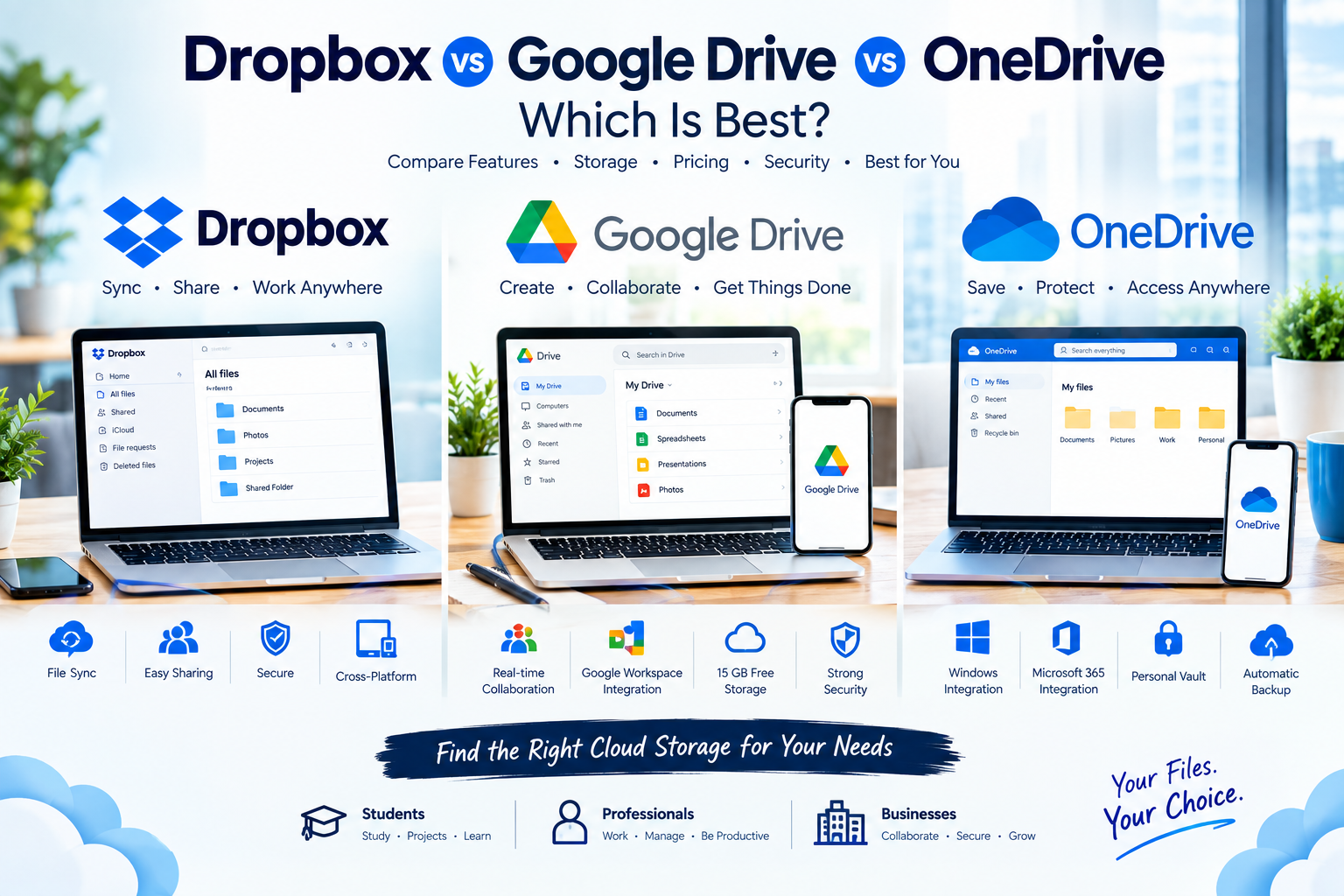
Cloud storage has become an essential part of how we work, study, and manage personal files. Instead of keeping everything on one computer or USB drive, services such as Dropbox, Google Drive, and OneDrive allow you to store files online, synchronize them across devices, share documents with other people, and access your information from almost anywhere.
But with three major cloud storage platforms offering similar features, an important question remains:
Dropbox vs Google Drive vs OneDrive — which one is best?
The answer depends on what you need.
Google Drive is particularly attractive if you use Gmail, Google Docs, Google Sheets, and Google Photos. OneDrive is a natural choice for people who use Windows and Microsoft 365. Dropbox focuses heavily on file synchronization, sharing, and cross-platform file management.
In this guide, we’ll compare Dropbox, Google Drive, and OneDrive in 2026 across storage, pricing, file synchronization, collaboration, security, productivity features, business use, ease of use, and overall value.
By the end, you’ll know which cloud storage service is best for students, professionals, families, businesses, and everyday users.
Dropbox vs Google Drive vs OneDrive: Quick Answer
If you want the answer without reading the entire comparison:
- Google Drive: Best overall for Google users and collaboration.
- OneDrive: Best for Windows and Microsoft 365 users.
- Dropbox: Best for file synchronization, sharing, and cross-platform workflows.
There isn’t one platform that is perfect for everyone.
The best choice depends heavily on the ecosystem you already use.
If your daily work happens in Gmail and Google Docs, Google Drive makes a lot of sense.
If you use Word, Excel, PowerPoint, and Windows every day, OneDrive may provide better value.
If you frequently synchronize files between different devices and platforms, Dropbox remains a compelling choice.
Dropbox vs Google Drive vs OneDrive Comparison
| Feature | Dropbox | Google Drive | OneDrive |
|---|---|---|---|
| Free storage | 2 GB | 15 GB | 5 GB |
| Best for | File sync & sharing | Collaboration | Microsoft 365 |
| Office ecosystem | Third-party integrations | Google Workspace | Microsoft 365 |
| Web access | Yes | Yes | Yes |
| Windows | Yes | Yes | Yes |
| Mac | Yes | Yes | Yes |
| Android | Yes | Yes | Yes |
| iPhone/iPad | Yes | Yes | Yes |
| Real-time document collaboration | Good | Excellent | Excellent |
| File version history | Yes | Yes | Yes |
| Business features | Yes | Yes | Yes |
| Personal Vault | No equivalent | No | Yes |
| Best ecosystem | Cross-platform | Microsoft |
Google provides up to 15 GB of storage with a personal Google Account, shared across Google Drive, Gmail, and Google Photos. Dropbox Basic starts with 2 GB, while Microsoft offers 5 GB for free with a Microsoft account.
What Is Dropbox?
Dropbox is one of the best-known cloud storage and file synchronization services.
Dropbox was built around a simple idea: keep your files synchronized across devices and make sharing them easy.
You can install Dropbox on your computer, place files inside your Dropbox folder, and access those files from other computers, phones, or the web.
Its cross-platform approach makes Dropbox particularly attractive to people who work across different operating systems.
Dropbox Is Best Known For
- File synchronization
- File sharing
- Cross-platform access
- Collaboration
- File recovery
- Version history
- Business file management
Dropbox also offers professional and business plans with additional storage and advanced sharing and administration features. Its Professional plan currently includes 3 TB of storage and 180 days of file version history.
For teams, Dropbox Standard currently starts with 3 TB of shared team storage for the first member, with additional storage available as licenses are added.
Dropbox Pros
- Excellent file synchronization
- Easy file sharing
- Works across many platforms
- Strong business features
- Good file recovery options
- Simple interface
Dropbox Cons
- Only 2 GB of free storage
- Some advanced features require paid plans
- Can be more expensive if you already have Microsoft 365 or Google Workspace
- Less deeply integrated with an office productivity suite than Google or Microsoft
Best for: People and businesses that prioritize reliable file synchronization and sharing.
What Is Google Drive?
Google Drive is Google’s cloud storage platform and part of the wider Google ecosystem.
One of its biggest advantages is how closely it connects with other Google services.
If you use Gmail, Google Docs, Google Sheets, Google Slides, Google Photos, or Google Workspace, Google Drive can become the central place where your files live.
A personal Google Account includes up to 15 GB of cloud storage at no charge, shared across Drive, Gmail, and Google Photos.
Google Drive Is Best Known For
- Google Docs
- Google Sheets
- Google Slides
- Real-time collaboration
- Gmail integration
- Google Photos integration
- File sharing
- Cloud-based productivity
One of Google’s biggest advantages is collaboration.
Multiple people can work on a Google document or spreadsheet at the same time, making Drive particularly useful for students, teams, teachers, and businesses.
Google Drive Pros
- 15 GB free storage
- Excellent collaboration
- Strong Google Workspace integration
- Easy sharing
- Excellent web interface
- Works well across devices
- Strong productivity ecosystem
Google Drive Cons
- Free storage is shared with Gmail and Google Photos
- Some advanced business features require Google Workspace
- Less attractive for people heavily invested in Microsoft Office
- Storage can fill quickly if you use Google Photos extensively
Best for: Students, professionals, teams, and anyone who already uses Google’s ecosystem.
What Is OneDrive?
Microsoft OneDrive is Microsoft’s cloud storage service.
It is deeply integrated with Windows and Microsoft 365, making it especially useful for people who regularly use Word, Excel, PowerPoint, Outlook, and Teams.
Microsoft’s current OneDrive plans include features such as file sharing, real-time collaboration, Personal Vault, ransomware detection and file restoration, version history, Windows backup, offline files, and advanced synchronization.
OneDrive Is Best Known For
- Windows integration
- Microsoft 365
- Word
- Excel
- PowerPoint
- Outlook
- Teams
- Personal Vault
- File synchronization
OneDrive is particularly attractive if you’re already paying for Microsoft 365 because cloud storage can be bundled with Microsoft’s productivity applications.
OneDrive Pros
- Excellent Windows integration
- Strong Microsoft 365 integration
- Good collaboration
- Personal Vault
- Strong security features
- File version history
- Useful backup features
- Excellent value for Microsoft 365 users
OneDrive Cons
- Only 5 GB free storage
- Some features are most useful inside the Microsoft ecosystem
- Less attractive if you primarily use Google Workspace
- The interface can feel more complex for beginners
Best for: Windows users, Microsoft 365 subscribers, and businesses using Microsoft applications.
Storage: Which Service Gives You the Most?
Storage is one of the first things people consider when choosing cloud storage.
For free accounts:
Google Drive
Google provides up to 15 GB of free storage.
However, that storage is shared between Google Drive, Gmail, and Google Photos.
OneDrive
OneDrive provides 5 GB of free cloud storage with a Microsoft account.
Dropbox
Dropbox Basic starts with 2 GB of free storage.
Free Storage Winner: Google Drive
If your primary goal is getting the most free cloud storage, Google Drive wins among these three.
However, remember that your Gmail messages and Google Photos can also consume that storage.
Pricing and Value
Cloud storage pricing changes over time and can vary by country, taxes, promotions, and billing cycle, so it’s better to compare the value of the overall ecosystem rather than looking only at the monthly storage price.
Google’s current storage system is based around Google One, which expands storage shared across Drive, Gmail, and Photos.
OneDrive can be particularly valuable when it is bundled with Microsoft 365 because you may receive cloud storage alongside applications such as Word, Excel, PowerPoint, and Outlook.
Microsoft’s current plans include options with 1 TB per user and additional Microsoft 365 features.
Dropbox, meanwhile, focuses more directly on cloud storage, synchronization, sharing, and collaboration. Its paid individual and business plans provide significantly more storage than the free Basic tier.
Best Value Depends on Your Ecosystem
Google user: Google Drive
Microsoft 365 user: OneDrive
Cross-platform file synchronization: Dropbox
File Synchronization: Dropbox vs Google Drive vs OneDrive
File synchronization is one of Dropbox’s traditional strengths.
The basic idea is simple:
You save a file on one device, and the changes become available on your other connected devices.
Dropbox is particularly well known for its synchronization technology, and independent comparisons continue to identify file syncing as one of its major strengths.
Google Drive and OneDrive also provide strong synchronization through their desktop applications.
For most ordinary users, all three services are capable of keeping files synchronized.
However, if synchronization itself is your primary reason for using cloud storage, Dropbox deserves serious consideration.
Sync Winner: Dropbox
Dropbox gets the edge for users who prioritize file synchronization and cross-platform file workflows.
Collaboration: Which Is Best for Teams?
This is where Google Drive and OneDrive become particularly strong.
Google Drive is deeply connected to Google Docs, Sheets, and Slides.
That means a team can work together on a document in real time without repeatedly emailing different versions of the same file.
OneDrive provides a similar advantage through Microsoft 365.
Teams can collaborate using:
- Word
- Excel
- PowerPoint
- Teams
- OneDrive
Dropbox also supports collaboration and integrates with many third-party applications, but it doesn’t have the same native office-suite ecosystem as Google and Microsoft.
Collaboration Winner: Google Drive and OneDrive
The winner depends on your existing productivity platform.
Google Workspace → Google Drive
Microsoft 365 → OneDrive
Security: Which Is Safer?
Security is extremely important when storing personal documents, business information, photographs, financial files, or sensitive work.
All three platforms provide security features, encryption, account controls, sharing permissions, and file recovery options.
OneDrive offers features such as Personal Vault, ransomware detection, file restoration, password-protected or expiring sharing links on eligible plans, and version history.
Dropbox also offers advanced sharing controls, version history, and business administration features. Its Professional plan, for example, includes 180 days of file version history.
Google Drive benefits from Google’s broader account security infrastructure and Workspace administration features for organizations.
Security Winner: It’s a Close Match
For ordinary users, all three provide strong mainstream cloud-security features.
For businesses, the best choice depends on the security, compliance, administration, and identity-management requirements of the organization.
The most secure cloud storage service isn’t useful if your employees use weak passwords or share sensitive files incorrectly.
Dropbox vs Google Drive vs OneDrive for Students
Students have different requirements from businesses.
They typically need:
- Free storage
- Easy document sharing
- Group collaboration
- Mobile access
- Web access
- Easy assignment management
Google Drive for Students
Google Drive is arguably the easiest choice for students because Google Docs, Sheets, and Slides are designed around online collaboration.
A group of students can work on the same project simultaneously.
OneDrive for Students
OneDrive is excellent for students whose schools or universities use Microsoft 365.
Students can combine OneDrive with Word, PowerPoint, and Excel.
Dropbox for Students
Dropbox can be useful for students who mainly need reliable file storage and synchronization across devices.
Student Winner: Google Drive
For most students, Google Drive is the best overall choice, especially for collaborative school and university projects.
Dropbox vs Google Drive vs OneDrive for Businesses
Businesses have different priorities.
They may need:
- Team collaboration
- Large storage
- Administrative controls
- Security
- File recovery
- Microsoft Office or Google Workspace integration
- External file sharing
- Employee access management
Google Drive for Business
Google Workspace provides a powerful ecosystem around Gmail, Drive, Docs, Sheets, Meet, and other business applications.
OneDrive for Business
OneDrive is especially powerful for organizations already using Microsoft 365.
Employees can work with Word, Excel, PowerPoint, Outlook, Teams, SharePoint, and OneDrive.
Dropbox for Business
Dropbox can be attractive to organizations that prioritize file synchronization, sharing, and cross-platform collaboration.
Dropbox’s business plans also provide centralized administration and significant storage options.
Business Winner
There is no universal winner.
Microsoft business → OneDrive
Google business → Google Drive
File-sharing-focused business → Dropbox
Dropbox vs Google Drive vs OneDrive for Photos
If you’re mainly storing photographs, the choice changes slightly.
Google has an important advantage because Google Drive storage is shared with Google Photos.
This creates a convenient ecosystem for Android and Google users.
OneDrive also supports camera-roll backup and photo storage. Microsoft’s current OneDrive features include camera-roll backup and offline files.
Dropbox can also store photographs and automatically upload photos from mobile devices.
Photo Storage Winner: Google Drive
For people who use Android and Google Photos heavily, Google provides one of the most convenient ecosystems.
Dropbox vs Google Drive vs OneDrive for Large Files
If you regularly work with large videos, design projects, photographs, software files, or other large documents, storage and synchronization become more important.
Dropbox is particularly attractive for professionals who need reliable synchronization between devices.
Google Drive also supports large files and provides substantial storage options through paid plans.
OneDrive can be especially convenient for Windows users because files can be integrated into the Windows file system.
Large-File Winner
Dropbox: Excellent synchronization
Google Drive: Excellent storage ecosystem
OneDrive: Excellent Windows integration
The best choice depends on how you work with those files.
Which Is Easiest to Use?
All three platforms are relatively easy to use.
Google Drive
Google Drive is simple and intuitive, particularly for people already familiar with Google Docs and Gmail.
OneDrive
OneDrive can feel extremely natural on Windows because it integrates directly with Microsoft’s operating system and productivity applications.
Dropbox
Dropbox has traditionally focused on simplicity and file synchronization.
Ease-of-Use Winner: Tie
For most users, the easiest service is the one that matches the tools they already understand.
Dropbox vs Google Drive vs OneDrive: Pros and Cons
Dropbox
Pros
- Excellent synchronization
- Strong sharing features
- Cross-platform
- Good business tools
- Strong version history
Cons
- Only 2 GB free
- Can become expensive compared with bundled alternatives
- Less integrated with a complete office suite
Google Drive
Pros
- 15 GB free
- Excellent collaboration
- Google Workspace integration
- Great web experience
- Excellent for students
Cons
- Storage is shared with Gmail and Photos
- Less attractive for Microsoft-heavy organizations
- Advanced business functionality requires Workspace plans
OneDrive
Pros
- Excellent Windows integration
- Microsoft 365 integration
- Strong security features
- Personal Vault
- Good collaboration
- Excellent value for Microsoft users
Cons
- 5 GB free
- Best experience is within Microsoft ecosystem
- Can be more complex for beginners
Which Cloud Storage Is Best Overall?
If we have to choose one overall winner for the average user, Google Drive gets the edge because of its combination of free storage, collaboration, productivity tools, and Google ecosystem integration.
But that doesn’t mean Google Drive is automatically the best choice for everyone.
If you’re deeply invested in Microsoft 365, OneDrive may be the smarter choice.
If your primary concern is file synchronization and sharing across different platforms, Dropbox may be the better option.
Think about it this way:
Choose Google Drive If:
- You use Gmail.
- You use Google Docs.
- You use Google Sheets.
- You use Android.
- You collaborate frequently.
- You want the largest free storage allowance of the three.
Choose OneDrive If:
- You use Windows.
- You use Microsoft 365.
- You rely on Word and Excel.
- Your business uses Teams.
- You want cloud storage integrated with Microsoft applications.
Choose Dropbox If:
- You prioritize file synchronization.
- You frequently share files.
- You work across different platforms.
- You want a cloud storage service focused heavily on files.
- Your team needs strong file-sharing workflows.
Final Verdict: Dropbox vs Google Drive vs OneDrive
So, which cloud storage service is best in 2026?
The answer depends on your workflow.
Google Drive is the best overall choice for most users, especially students, families, and people already using Google’s ecosystem. Its 15 GB free storage and excellent collaboration features make it particularly attractive.
OneDrive is the best choice for Microsoft users. If you already use Windows and Microsoft 365, OneDrive can provide excellent value because your storage works naturally with Word, Excel, PowerPoint, Outlook, and other Microsoft services.
Dropbox is the best choice for file synchronization and sharing. Its focus on syncing, sharing, version history, and cross-platform workflows makes it a strong choice for professionals and teams that work with files across multiple devices.
There is no reason to choose a cloud storage service simply because it is the most popular.
Choose the one that fits your existing workflow.
Google ecosystem? Choose Google Drive.
Microsoft ecosystem? Choose OneDrive.
File synchronization and sharing first? Choose Dropbox.
For most people, the best cloud storage service is the one that makes their everyday work easier—not necessarily the one with the longest feature list.