

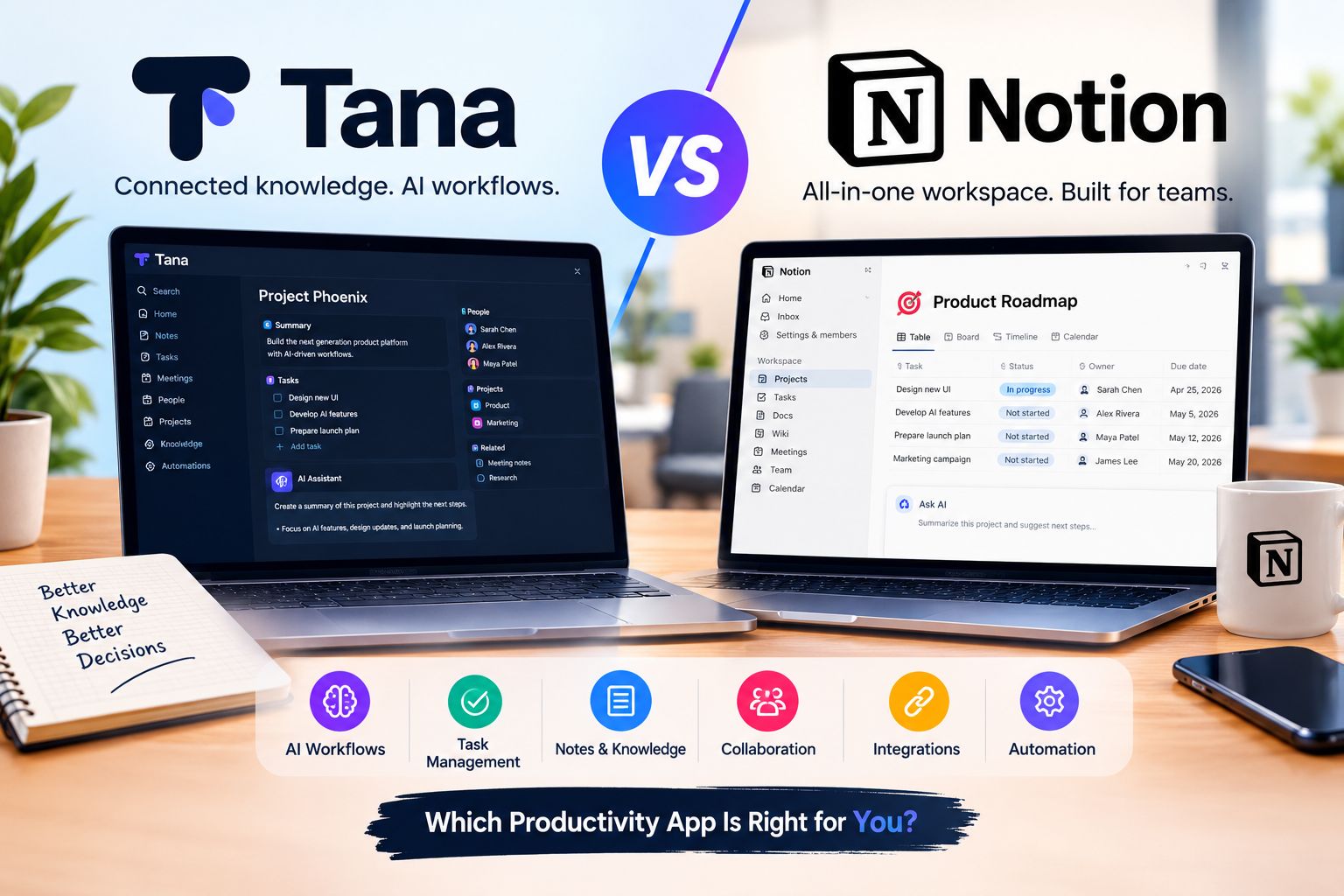
Tana vs Notion is an increasingly interesting comparison for anyone looking for a modern productivity app that combines notes, tasks, knowledge management, and AI workflows.
Both platforms can help you organize information and manage work, but they approach productivity differently.
Notion has built a large ecosystem around documents, databases, projects, collaboration, and AI. Tana takes a more structured approach, combining notes, tasks, knowledge, meetings, and AI-powered workflows in a connected workspace.
In 2026, the differences have become even more important because both platforms are moving beyond traditional note-taking and adding AI features that can automate parts of everyday work.
So, Tana vs Notion: which productivity app is better for AI workflows?
This detailed comparison looks at their features, AI capabilities, task management, knowledge organization, integrations, pricing, ease of use, and the type of user each platform is designed for.
Tana vs Notion: Quick Comparison
| Feature | Tana | Notion |
|---|---|---|
| Notes | Excellent | Excellent |
| Databases | Structured and flexible | Excellent |
| AI | Strong AI workflows | Strong AI agents |
| Tasks | Integrated with structured data | Excellent |
| Meetings | Strong AI meeting features | AI Meeting Notes |
| Collaboration | Good | Excellent |
| AI Agents | Yes | Yes |
| Automations | Strong | Strong |
| Integrations | Growing | Extensive |
| Ease of use | Moderate learning curve | Beginner-friendly |
| Best for | AI-powered knowledge workflows | Teams and all-in-one workspaces |
The biggest difference is philosophy.
Notion is built around flexible pages, databases, documents, and team collaboration.
Tana is built around structured information, interconnected data, and workflows where AI can help transform information into actions.
What Is Tana?
Tana is an AI-powered productivity and knowledge-management platform designed to connect notes, tasks, meetings, structured information, and workflows.
One of Tana’s key ideas is that information can be structured rather than stored simply as separate pages.
For example, a meeting note can contain people, projects, tasks, decisions, and other information that can later be connected and reused.
Tana also has AI features that can search, create, update, and work with information inside the workspace. Its AI can connect with services such as GitHub, Slack, Linear, Jira, and HubSpot through supported integrations.
Tana has also been adding AI-powered meeting and workflow capabilities throughout 2026. Its recent updates include AI-assisted workflows, meeting capture, task extraction, and integrations with external tools.
What Is Notion?
Notion is an all-in-one workspace that combines documents, databases, project management, wikis, tasks, collaboration, and AI.
It is commonly used by students, creators, startups, businesses, and teams to organize information in one workspace.
Notion’s current feature set includes databases, real-time collaboration, AI Meeting Notes, enterprise search, dashboards, forms, web clipping, APIs, database automations, and AI agents.
In 2026, Notion has also expanded its AI capabilities significantly.
Its Custom Agents can perform recurring tasks, answer questions, route work, generate reports, and interact with connected tools.
Tana vs Notion for AI Workflows
This is probably the most important part of the comparison.
Tana vs Notion for AI Workflows
Tana is particularly interesting if your workflow depends on turning information into structured actions.
Imagine you finish a meeting.
Instead of simply storing the transcript, an AI-powered workflow could identify:
- Important decisions
- Tasks
- People mentioned
- Projects
- Deadlines
- Follow-up actions
Those pieces of information can then become connected objects inside your workspace.
Tana’s AI can also propose changes to workflows and structured types, with approval steps before changes are applied.
Notion approaches AI workflows differently.
Notion Agent can work across your workspace, while Custom Agents can run recurring workflows and connect to tools such as Slack, Mail, Calendar, and other supported services.
Notion’s recent features also include reusable AI skills, dynamic triggers, MCP connections, database automations, and agent orchestration.
For users who want AI to work inside a team workspace, Notion has a broad set of automation capabilities.
For users who prefer structured knowledge and workflows that connect information together, Tana provides a different approach.
Notes and Knowledge Management
Both applications are powerful for taking notes, but the experience is different.
Notion uses pages and blocks.
You can create a page for a project, add text, tables, databases, checklists, images, files, and other blocks.
This makes Notion highly flexible.
Tana focuses more heavily on structured information.
Instead of thinking only in terms of pages, users can create structured objects and relationships between information.
This can be useful if you are building a personal knowledge system.
For example, you could create information about:
- People
- Companies
- Projects
- Meetings
- Tasks
- Ideas
- Articles
Then connect those pieces of information together.
This approach can be powerful for researchers, knowledge workers, consultants, and people who manage large amounts of interconnected information.
Task Management
Both Tana and Notion can manage tasks.
Notion provides databases, boards, calendars, timelines, properties, dependencies, and different views for organizing projects.
Tana treats tasks as structured objects that can be created from different areas of the workspace.
Tana’s task system allows tasks to be extracted from meetings or created through AI chat, and tasks can be organized through states, assignments, filters, and workflows.
For a traditional project-management system, Notion can feel more familiar.
For workflows where tasks are automatically extracted from notes and meetings, Tana can be particularly interesting.
AI Meeting Notes
AI meeting functionality is another area where the two platforms compete.
Tana has been investing heavily in meetings.
Its 2026 updates include meeting transcription, summaries, outcomes, calendar synchronization, and AI features designed to turn conversations into actions.
Notion also offers AI Meeting Notes, allowing meetings to be captured and organized directly in the workspace.
The important difference is what happens after the meeting.
A good meeting system should not only create a transcript.
It should help you identify decisions, tasks, responsibilities, and follow-up work.
Both platforms are moving toward this model, but Tana places particularly strong emphasis on turning conversations into structured work.
Integrations
Integrations are important if you already use multiple software tools.
Notion supports connections with tools and services such as Slack, GitHub, Asana, Google Drive, Figma, and others depending on the plan and integration method.
Its current platform also supports APIs, MCP, and connected applications for AI workflows.
Tana also supports connections with external tools, including GitHub, Slack, Linear, Jira, HubSpot, and MCP-based tools.
The difference is that Tana’s integrations are often discussed in the context of structured information and AI workflows, while Notion has a broader traditional workspace ecosystem.
Pricing: Tana vs Notion
Pricing can change, so always check the official pricing pages before purchasing.
Tana currently offers a Free plan and paid plans. Its listed pricing includes a Pro plan with an early-bird price of $20 per user per month when billed according to the displayed annual pricing, while its Max plan has an early-bird price of $80 per user per month.
Notion currently offers Free, Plus, Business, and Enterprise plans.
Its listed Plus plan starts at $10 per member per month, while Business is listed at $20 per member per month. Notion also offers AI functionality and additional AI-agent usage depending on the plan.
For users comparing costs, it is important to look beyond the basic subscription.
AI usage, advanced agents, integrations, storage, collaboration features, and team requirements can affect the final cost.
Ease of Use
Notion is generally easier to understand when you first open it.
You create a page, add blocks, build a database, and start organizing your information.
This makes it attractive to beginners.
Tana can require more time to understand because its structured approach introduces concepts that may be unfamiliar to new users.
However, once you understand how Tana organizes information, the system can become extremely flexible.
The choice therefore depends partly on your preferred way of working.
If you want a familiar workspace, Notion may feel easier.
If you enjoy structured information and interconnected workflows, Tana may be more interesting.
Tana vs Notion for Students
Students can use either platform for:
- Class notes
- Research
- Assignments
- Reading lists
- Projects
- Task management
- Study planning
Notion is particularly useful for students who want templates, databases, calendars, and simple organization.
Tana may be more attractive to students who want to build a connected knowledge system where notes, concepts, sources, and tasks can relate to each other.
For a simple student workspace, Notion is likely easier to start with.
For advanced knowledge management, Tana offers a different approach worth exploring.
Tana vs Notion for Businesses
Businesses can use both platforms for documentation, project management, meetings, internal knowledge, and AI workflows.
Notion has strong collaboration features and business-oriented administration.
Its Business plan includes features such as Notion Agent, AI Meeting Notes, enterprise search, granular database permissions, and connections to external tools.
Tana can be useful for teams that want meetings, tasks, knowledge, and structured information connected in one system.
The best choice depends on whether your team values a traditional collaborative workspace or a more structured AI-powered knowledge system.
Tana vs Notion: Pros and Cons
Tana Pros
- Strong structured knowledge management
- AI-powered workflows
- Advanced meeting capabilities
- Tasks connected to structured information
- AI can interact with workspace content
- Growing external integrations
- Useful for complex knowledge workflows
Tana Cons
- Learning curve can be higher
- Some advanced features may feel complex
- Pricing can become significant for teams
- Not as familiar as traditional page-based tools
Notion Pros
- Easy to start
- Flexible pages and databases
- Strong collaboration
- Powerful AI features
- Custom Agents
- AI Meeting Notes
- Large ecosystem
- Good for teams and businesses
Notion Cons
- Advanced AI automation may require higher plans
- Large workspaces can become complicated
- Database-heavy systems require organization
- AI-agent usage can involve additional credits
Which Is Better for AI Workflows?
The answer depends on the workflow you want to build.
If your priority is structured knowledge, connected information, meeting-to-task workflows, and AI-assisted organization, Tana is worth considering.
If your priority is team collaboration, documents, databases, project management, and AI agents inside an established workspace, Notion provides a broad solution.
Neither platform is universally better for every user.
Instead, they represent two different approaches to AI productivity.
Tana focuses heavily on turning information into structured work.
Notion focuses on bringing documents, databases, collaboration, and AI into one flexible workspace.
Final Verdict
Tana vs Notion is not simply a comparison between two note-taking apps.
Both platforms are evolving into broader AI productivity systems.
Tana is particularly interesting for users who want structured knowledge, AI-powered workflows, meeting intelligence, and connected information.
Notion remains a highly flexible workspace for documents, databases, collaboration, project management, and AI-powered automation.
For beginners and teams looking for an all-purpose workspace, Notion provides a familiar starting point.
For users who want to experiment with structured knowledge and AI-driven workflows, Tana offers an alternative approach.
The best option ultimately depends on how you organize information and what you expect AI to do for you.
Frequently Asked Questions
Is Tana better than Notion?
Tana and Notion are designed around different approaches. Tana emphasizes structured knowledge and AI workflows, while Notion combines documents, databases, collaboration, and AI in a flexible workspace.
Can Tana replace Notion?
For some users, yes. Tana can handle notes, tasks, knowledge management, meetings, and AI workflows. However, Notion may remain preferable for users who depend heavily on traditional databases, team collaboration, and documentation.
Does Notion have AI agents?
Yes. Notion offers Notion Agent and Custom Agents. Custom Agents can automate recurring work and interact with connected tools and workspace information.
Does Tana have AI?
Yes. Tana includes AI chat and AI-powered workflows that can read, search, create, and update workspace content.
Which is easier to use, Tana or Notion?
Notion is generally easier for beginners because its page-and-block structure is familiar. Tana can require more time to learn because of its structured approach.
Which is better for AI productivity?
Both are strong options. Tana is especially interesting for structured AI workflows and connected knowledge, while Notion provides broad AI capabilities across documents, databases, meetings, and team workflows.
Conclusion
The productivity-app market is changing rapidly.
AI is no longer limited to writing text or answering questions. Modern productivity platforms are increasingly using AI to organize information, extract tasks, search knowledge, automate repetitive work, and help teams complete projects.
That makes Tana vs Notion a useful comparison for anyone looking to build a more intelligent productivity system in 2026.
Tana brings a structured, AI-first approach to knowledge and workflows.
Notion combines its established workspace ecosystem with increasingly powerful AI agents and automation.
Before choosing one, think about how you currently work, where your information lives, and how much automation you actually need.
For simple organization, either platform can work well.
For advanced AI workflows, the differences become much more important.